# Form Field Types
FluentCRM uses a declarative PHP array structure to define the settings UI for automation triggers, actions, and benchmarks. You define fields in PHP, and FluentCRM automatically renders the corresponding Vue form components.
## Return Structure
The `getBlockFields()` (actions/benchmarks) and `getSettingsFields()` (triggers) methods return an array with this structure:
```php
return [
'title' => __('Block Title', 'your-plugin'),
'sub_title' => __('Brief description of what this block does', 'your-plugin'),
'fields' => [
'field_key' => [
'type' => 'select', // Field type (see reference below)
'label' => __('Label', 'your-plugin'),
// ... type-specific properties
],
// more fields...
],
];
```
The `fields` array is keyed by the setting name — this key is used to store and retrieve the value in `$sequence->settings` (actions) or `$funnel->settings` (triggers).
## Common Properties
Every field type supports these properties:
| Property | Type | Description |
|----------|------|-------------|
| `type` | String | **Required.** The field type identifier |
| `label` | String | Label displayed above the field |
| `help` | String | Tooltip text shown via an info icon next to the label |
| `inline_help` | String | Help text displayed below the field (supports HTML) |
| `placeholder` | String | Placeholder text for input fields |
| `wrapper_class` | String | CSS class applied to the field wrapper (see [Wrapper Classes](#wrapper-classes)) |
| `readonly` | Boolean | Makes the field read-only |
| `dependency` | Array | Conditional visibility based on another field's value |
## Conditional Visibility (Dependency)
Fields can be shown or hidden based on another field's value using the `dependency` property:
```php
'send_email_custom' => [
'type' => 'input-text',
'label' => __('Custom Email Addresses', 'your-plugin'),
'dependency' => [
'depends_on' => 'send_email_to_type',
'operator' => '=',
'value' => 'custom',
],
],
```
| Key | Type | Description |
|-----|------|-------------|
| `depends_on` | String | The field key to watch. Supports nested paths with `/` separator (e.g., `'settings/type'`) |
| `operator` | String | `=` or `!=` |
| `value` | Mixed | The value to compare against |
## SmartCode Support
Some field types support SmartCode (merge tag) insertion. Add these properties to enable it:
| Property | Value | Description |
|----------|-------|-------------|
| `smart_codes` | `'yes'` | Enables the SmartCode picker (contact fields, CRM data, etc.) |
| `context_codes` | `'yes'` | Additionally includes funnel-specific context codes |
Supported on: `input-text-popper`, `html_editor`
---
## Selection Fields
### `option_selectors`
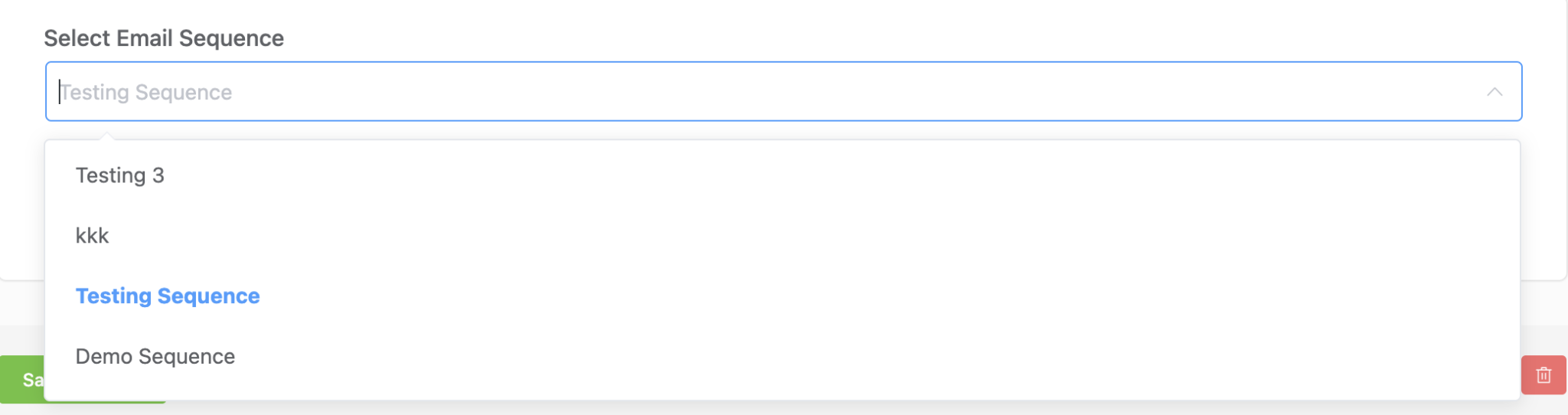
Dynamic select that loads options from FluentCRM's data stores (tags, lists, statuses, etc.). Supports creating new items inline.
```php
'tags' => [
'type' => 'option_selectors',
'option_key' => 'tags',
'is_multiple' => true,
'creatable' => true,
'label' => __('Select Tags', 'your-plugin'),
'placeholder' => __('Select Tags', 'your-plugin'),
],
```
**Type-specific properties:**
| Property | Type | Description |
|----------|------|-------------|
| `option_key` | String | **Required.** Data source key (see table below) |
| `is_multiple` | Boolean | Allow multiple selections. Default `false` |
| `creatable` | Boolean | Allow creating new items inline. Default `false` |
| `size` | String | Field size: `'small'`, `'default'`, `'large'` |
**Built-in `option_key` values:**
| Key | Description |
|-----|-------------|
| `tags` | FluentCRM tags |
| `lists` | FluentCRM lists |
| `editable_statuses` | Contact subscription statuses |
| `companies` | FluentCRM companies |
| `campaigns` | Email campaigns |
| `email_sequences` | Email sequences |
| `countries` | Country list |
Integration plugins (WooCommerce, LearnDash, etc.) register additional `option_key` values via the `reports/options` REST endpoint:
| Key | Plugin | Description |
|-----|--------|-------------|
| `woo_products`, `product_selector_woo` | WooCommerce | Products |
| `woo_categories` | WooCommerce | Product categories |
| `woo_order_statuses` | WooCommerce | Order statuses |
| `woo_coupons` | WooCommerce | Coupons |
| `edd_products`, `product_selector_edd` | Easy Digital Downloads | Products |
| `edd_coupons` | Easy Digital Downloads | Coupons |
| `product_selector_learndash` | LearnDash | Courses |
| `product_selector_learndash_groups` | LearnDash | Groups |
| `product_selector_lifterlms` | LifterLMS | Courses |
| `product_selector_lifterlms_groups` | LifterLMS | Memberships |
| `product_selector_tutorlms` | TutorLMS | Courses |
| `product_selector_pmpro` | Paid Memberships Pro | Membership levels |
| `product_selector_rcp` | Restrict Content Pro | Memberships |
| `product_selector_wishlist` | WishList Member | Memberships |
---
### `select` / `multi-select`
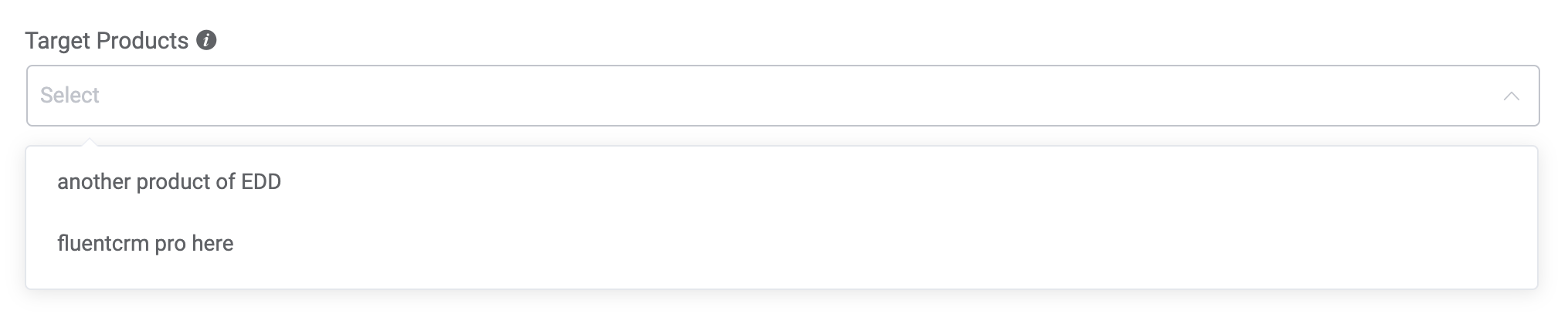
Standard dropdown with static options. Use `select` for single selection and `multi-select` for multiple.
```php
'product_ids' => [
'type' => 'multi-select',
'label' => __('Target Products', 'your-plugin'),
'help' => __('Select products for this goal', 'your-plugin'),
'options' => [
['id' => '1', 'title' => 'Product A'],
['id' => '2', 'title' => 'Product B'],
],
'inline_help' => __('Leave blank to match any product', 'your-plugin'),
],
```
**Type-specific properties:**
| Property | Type | Description |
|----------|------|-------------|
| `options` | Array | **Required.** Array of `['id' => String, 'title' => String]` items |
| `is_multiple` | Boolean | For `select` type only — overrides to allow multiple. `multi-select` is always multiple |
---
### `radio`
Radio button group for mutually exclusive choices.
```php
'update_type' => [
'type' => 'radio',
'label' => __('If Contact Already Exists?', 'your-plugin'),
'help' => __('Specify what happens if the subscriber already exists', 'your-plugin'),
'options' => [
['id' => 'update', 'title' => __('Update if exist', 'your-plugin')],
['id' => 'skip_all_if_exist', 'title' => __('Skip if exist', 'your-plugin')],
],
],
```
**Type-specific properties:**
| Property | Type | Description |
|----------|------|-------------|
| `options` | Array | **Required.** Array of `['id' => String, 'title' => String]` items |

---
### `radio_buttons`
Styled radio buttons rendered as a button group. Same options format as `radio`.
```php
'wait_type' => [
'type' => 'radio_buttons',
'label' => __('Waiting Type', 'your-plugin'),
'options' => [
['id' => 'unit_wait', 'title' => __('Wait for a specific period', 'your-plugin')],
['id' => 'timestamp_wait', 'title' => __('Wait until a specific date-time', 'your-plugin')],
['id' => 'to_day', 'title' => __('To a day of the week', 'your-plugin')],
],
],
```

---
### `checkboxes`
Checkbox group for selecting multiple options. Returns an array of selected `id` values.
```php
'to_day' => [
'type' => 'checkboxes',
'label' => __('Wait until next day(s) of the week', 'your-plugin'),
'wrapper_class' => 'fc_2col_inline pad-r-20',
'options' => [
['id' => 'Mon', 'title' => 'Mon'],
['id' => 'Tue', 'title' => 'Tue'],
['id' => 'Wed', 'title' => 'Wed'],
['id' => 'Thu', 'title' => 'Thu'],
['id' => 'Fri', 'title' => 'Fri'],
['id' => 'Sat', 'title' => 'Sat'],
['id' => 'Sun', 'title' => 'Sun'],
],
],
```

---
### `grouped-select`
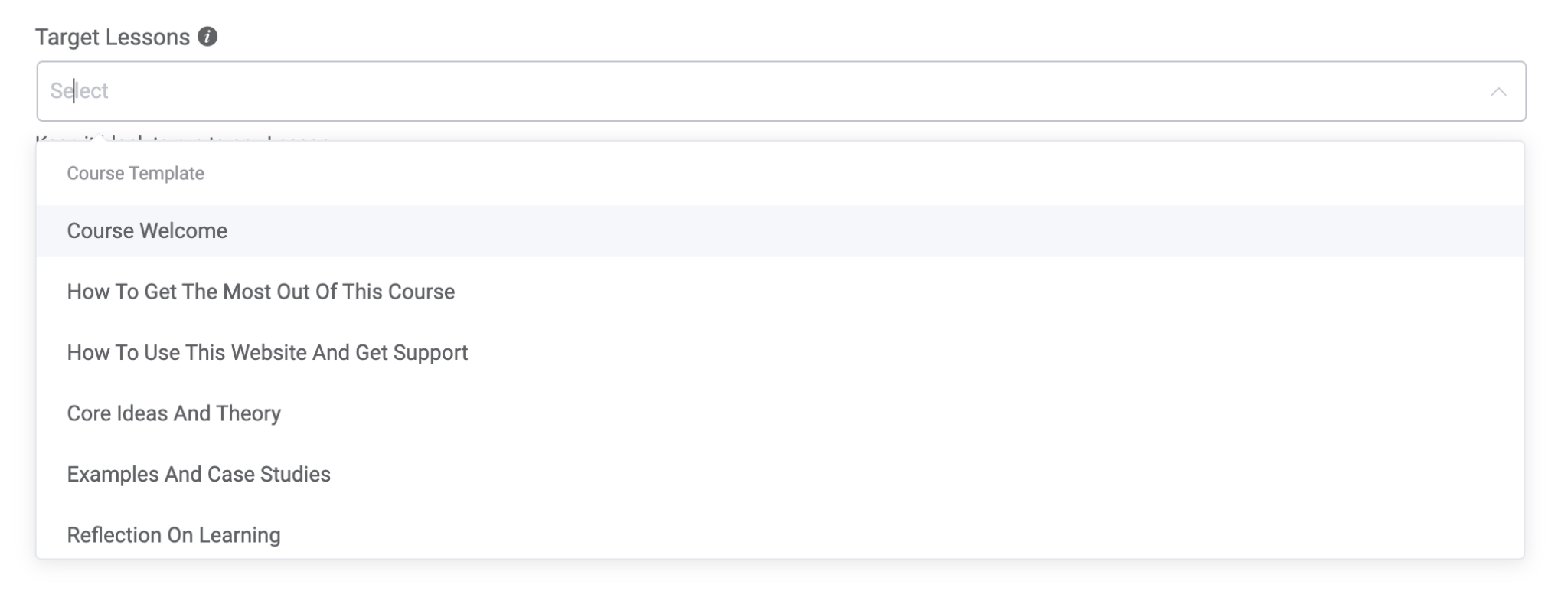
Select dropdown with options organized into groups (uses Element Plus `el-option-group`).
```php
'lesson_ids' => [
'type' => 'grouped-select',
'label' => __('Target Lessons', 'your-plugin'),
'help' => __('Select lessons for this automation', 'your-plugin'),
'is_multiple' => true,
'options' => [
[
'title' => 'Course A',
'slug' => 'course_a',
'options' => [
['id' => '1', 'title' => 'Lesson 1'],
['id' => '2', 'title' => 'Lesson 2'],
],
],
[
'title' => 'Course B',
'slug' => 'course_b',
'options' => [
['id' => '3', 'title' => 'Lesson 3'],
],
],
],
'inline_help' => __('Leave blank to match any lesson', 'your-plugin'),
],
```
**Group structure:** `['title' => String, 'slug' => String, 'options' => [['id' => String, 'title' => String], ...]]`
---
## Text Input Fields
### `input-text`
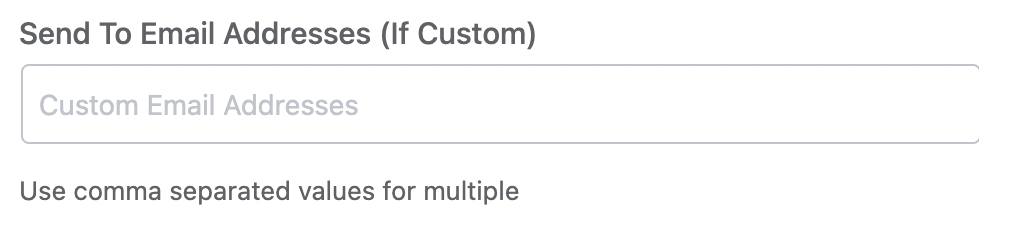
Single-line text input.
```php
'send_email_custom' => [
'type' => 'input-text',
'wrapper_class' => 'fc_half_field',
'label' => __('Email Addresses', 'your-plugin'),
'placeholder' => __('Custom Email Addresses', 'your-plugin'),
'inline_help' => __('Use comma separated values for multiple', 'your-plugin'),
],
```
---
### `input-text-area`
Multi-line text input.
```php
'sms_body' => [
'type' => 'input-text-area',
'label' => __('SMS Body', 'your-plugin'),
'placeholder' => __('Enter your message', 'your-plugin'),
'rows' => 5,
],
```
**Type-specific properties:**
| Property | Type | Description |
|----------|------|-------------|
| `rows` | Int | Number of visible text rows |
---
### `input-text-popper`
Text input with a SmartCode picker popover. Useful for fields where users need to insert dynamic merge tags.
```php
'title' => [
'type' => 'input-text-popper',
'label' => __('Activity Title', 'your-plugin'),
'smart_codes' => 'yes',
'context_codes' => 'yes',
],
```
**Type-specific properties:**
| Property | Type | Description |
|----------|------|-------------|
| `smart_codes` | String | Set to `'yes'` to enable SmartCode picker |
| `context_codes` | String | Set to `'yes'` to include funnel context codes |
| `field_type` | String | Set to `'textarea'` for multi-line mode |

---
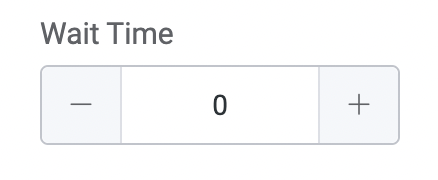
### `input-number`
Numeric input with increment/decrement controls.
```php
'wait_time_amount' => [
'type' => 'input-number',
'label' => __('Wait Time', 'your-plugin'),
'wrapper_class' => 'fc_2col_inline pad-r-20',
],
```
---
## Special Input Fields
### `yes_no_check`
Boolean checkbox that stores `'yes'` or `'no'` as a string value.
```php
'run_multiple' => [
'type' => 'yes_no_check',
'label' => '',
'check_label' => __('Restart the automation multiple times for a contact', 'your-plugin'),
'inline_help' => __('If enabled, the automation restarts for contacts already in it', 'your-plugin'),
],
```
**Type-specific properties:**
| Property | Type | Description |
|----------|------|-------------|
| `check_label` | String | Label displayed next to the checkbox |

---
### `url_selector`
URL input field with link-picking capabilities.
```php
'redirect_to' => [
'type' => 'url_selector',
'label' => __('Redirect To', 'your-plugin'),
'placeholder' => __('Your Target URL', 'your-plugin'),
'help' => __('Contacts will be redirected to this link', 'your-plugin'),
],
```

---
### `date_time`
Date and time picker. Returns the value in `YYYY-MM-DD HH:mm:ss` format.
```php
'run_at' => [
'type' => 'date_time',
'label' => __('Schedule Date & Time', 'your-plugin'),
'placeholder' => __('Select Date & Time', 'your-plugin'),
],
```
---
### `time_selector`
Time-only picker with configurable range and step interval.
```php
'to_day_time' => [
'type' => 'time_selector',
'label' => __('Time of the day', 'your-plugin'),
'placeholder' => __('Select Time', 'your-plugin'),
'wrapper_class' => 'fc_2col_inline',
'picker_options' => [
'start' => '00:00',
'step' => '00:10',
'end' => '23:59',
],
],
```
**Type-specific properties:**
| Property | Type | Description |
|----------|------|-------------|
| `picker_options` | Array | `start` (start time), `step` (interval), `end` (end time) |

---
## Rich Content Fields
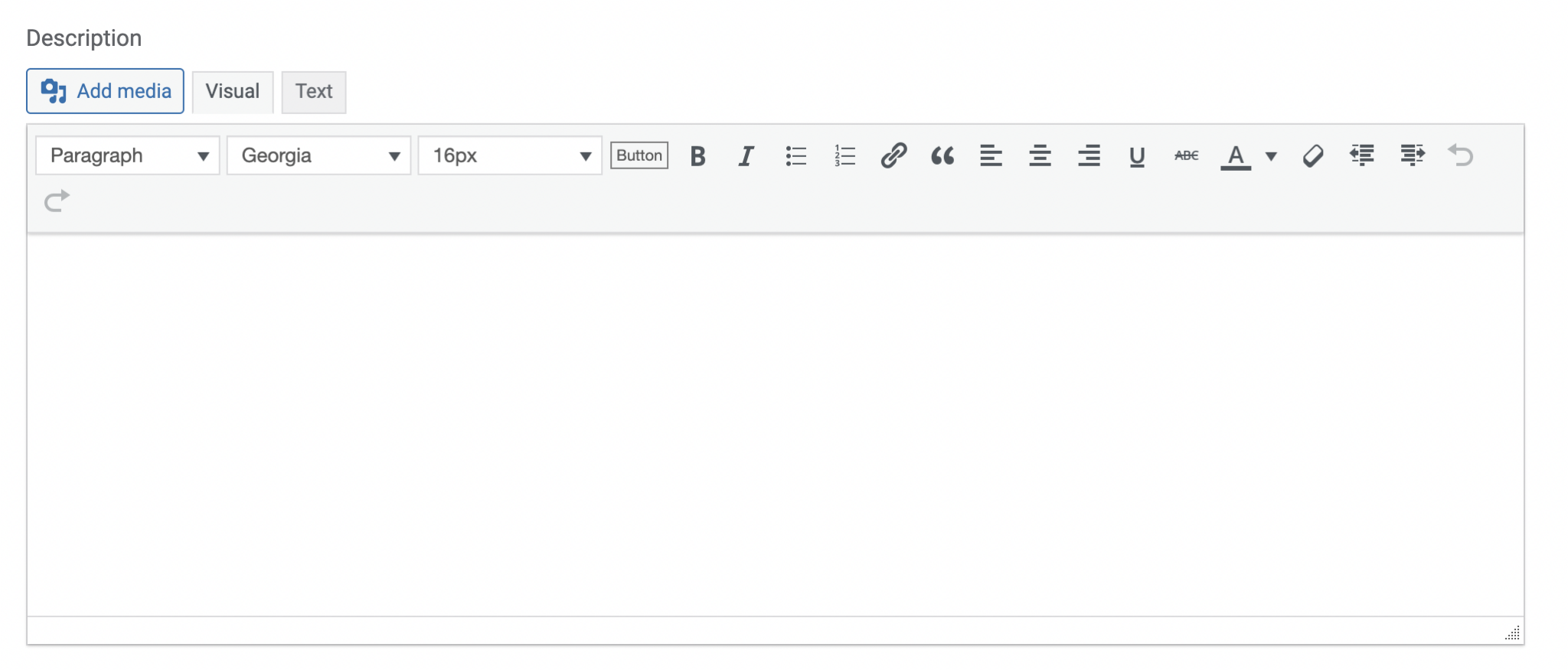
### `html_editor`
WordPress-style rich text editor (TinyMCE). Supports SmartCode insertion.
```php
'description' => [
'type' => 'html_editor',
'label' => __('Description', 'your-plugin'),
'smart_codes' => 'yes',
'context_codes' => 'yes',
],
```
---
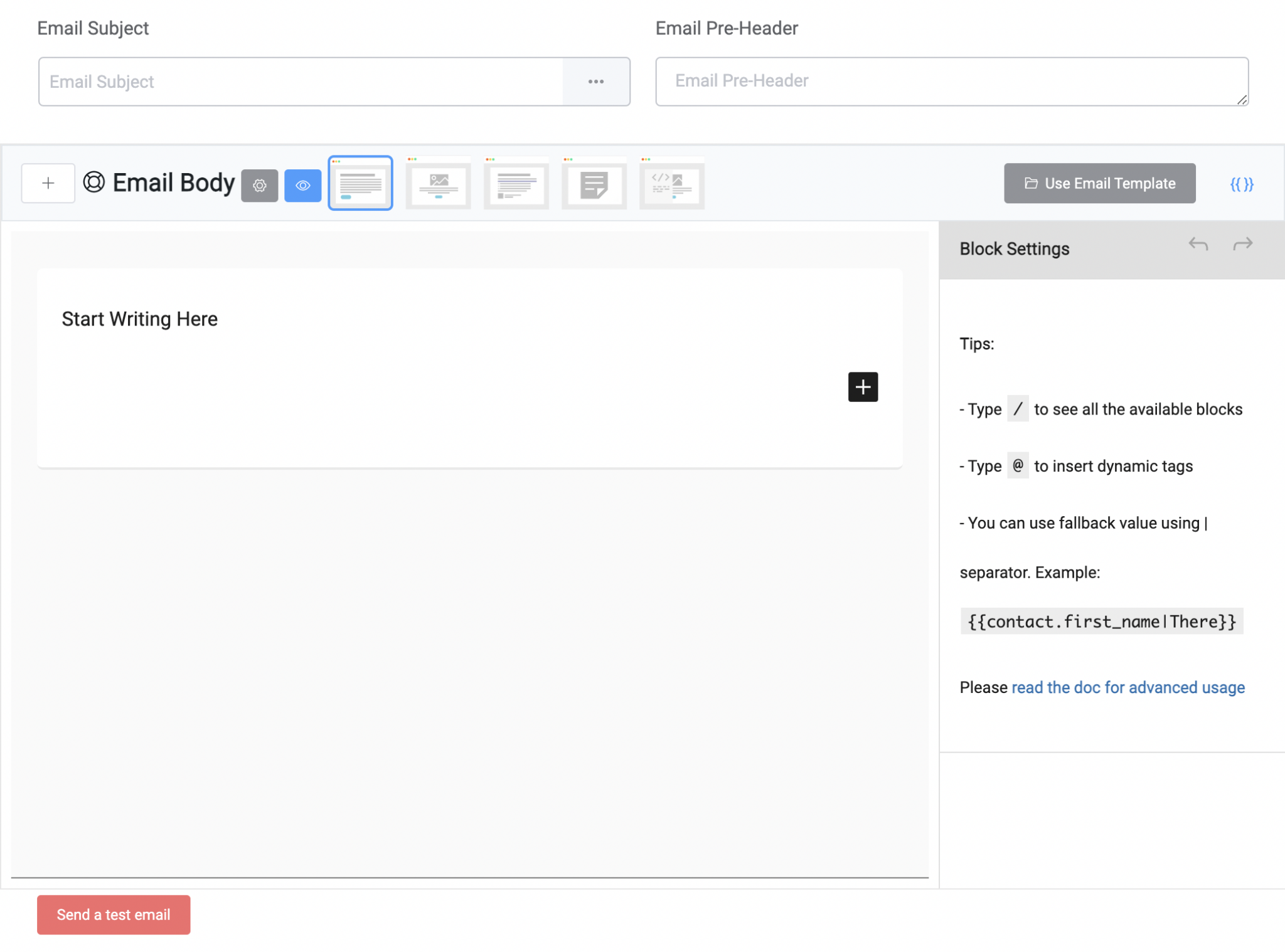
### `email_campaign_composer`
Full email campaign editor with subject line, body editor, design templates, and merge tag support. Used primarily by the "Send Email" action.
```php
'campaign' => [
'type' => 'email_campaign_composer',
'label' => '',
],
```
The composer provides its own save mechanism. It emits a `save` event when the user clicks save.
---
### `html`
Display-only HTML content — not an input field. Used for showing informational messages, often with a `dependency` to show contextual guidance.
```php
'subscription_status_info' => [
'type' => 'html',
'info' => '' . __('A double opt-in email will be sent for new subscribers', 'your-plugin') . '',
'dependency' => [
'depends_on' => 'subscription_status',
'operator' => '=',
'value' => 'pending',
],
],
```
**Type-specific properties:**
| Property | Type | Description |
|----------|------|-------------|
| `info` | String | HTML content to display |
---
## Dynamic / AJAX Fields
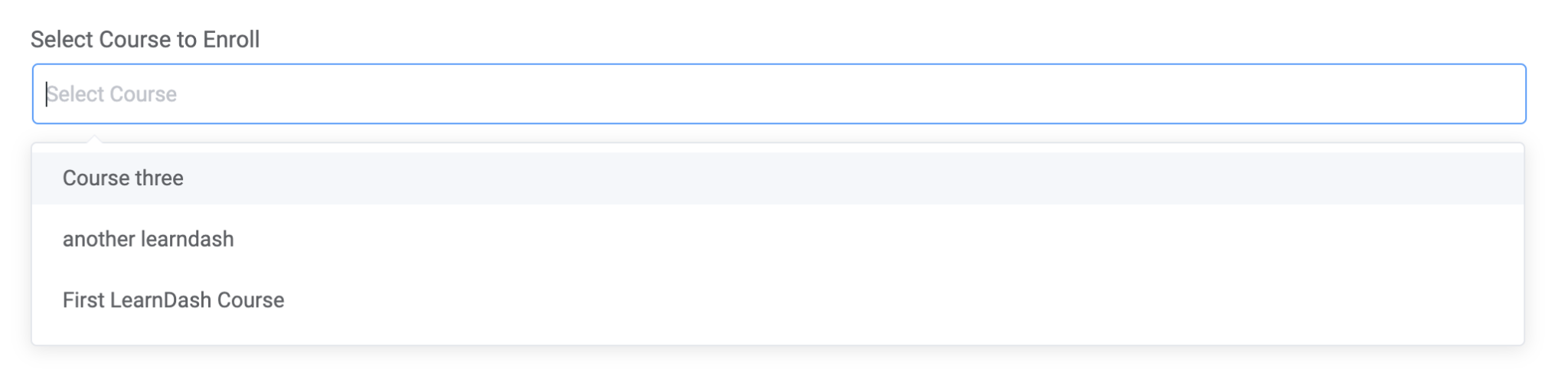
### `rest_selector`
Select dropdown that loads options from FluentCRM's AJAX endpoint (`reports/ajax-options`). Used when options are too large to load upfront or are provided by integration plugins.
```php
'course_id' => [
'type' => 'rest_selector',
'option_key' => 'product_selector_learndash',
'is_multiple' => false,
'clearable' => true,
'label' => __('Select Course', 'your-plugin'),
'placeholder' => __('Select Course', 'your-plugin'),
],
```
**Type-specific properties:**
| Property | Type | Description |
|----------|------|-------------|
| `option_key` | String | **Required.** Endpoint key for fetching options |
| `is_multiple` | Boolean | Allow multiple selections |
| `clearable` | Boolean | Allow clearing the selection |
| `cacheable` | Boolean | Cache results in browser |
| `creatable` | Boolean | Allow creating new items |
---
### `reload_rest_selector`
Same as `rest_selector`, but saves the form and reloads all field options when the selection changes. Used when one field's value affects available options in other fields.
```php
'form_id' => [
'type' => 'reload_rest_selector',
'option_key' => 'fluent_forms',
'is_multiple' => false,
'label' => __('Select Form', 'your-plugin'),
'placeholder' => __('Select Form', 'your-plugin'),
],
```
---
### `reload_field_selection`
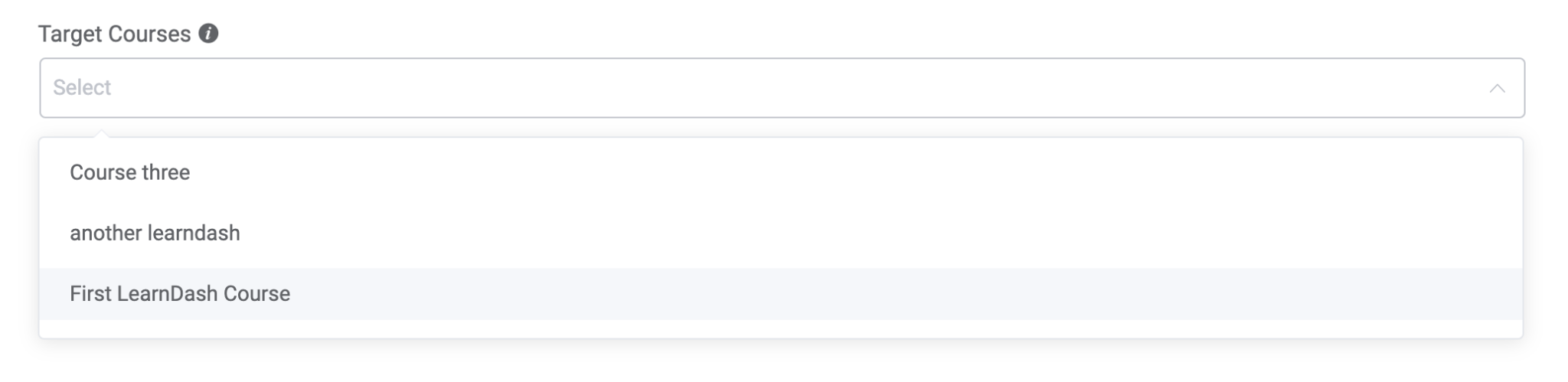
Static select dropdown that triggers a save-and-reload when the selection changes. Similar to `reload_rest_selector` but with pre-loaded options.
```php
'course_id' => [
'type' => 'reload_field_selection',
'label' => __('Target Course', 'your-plugin'),
'help' => __('Select a course to load its lessons', 'your-plugin'),
'options' => [
['id' => '1', 'title' => 'Course A'],
['id' => '2', 'title' => 'Course B'],
],
'inline_help' => __('You must select a course', 'your-plugin'),
],
```
---
### `tax_selector`
WordPress taxonomy terms selector. Loads terms from any registered taxonomy.
```php
'category_ids' => [
'type' => 'tax_selector',
'taxonomy' => 'product_cat',
'is_multiple' => true,
'label' => __('Product Categories', 'your-plugin'),
],
```
**Type-specific properties:**
| Property | Type | Description |
|----------|------|-------------|
| `taxonomy` | String | **Required.** WordPress taxonomy slug (e.g., `'category'`, `'product_cat'`) |
| `is_multiple` | Boolean | Allow multiple selections |
---
## Mapper & Property Fields
### `form-group-mapper`
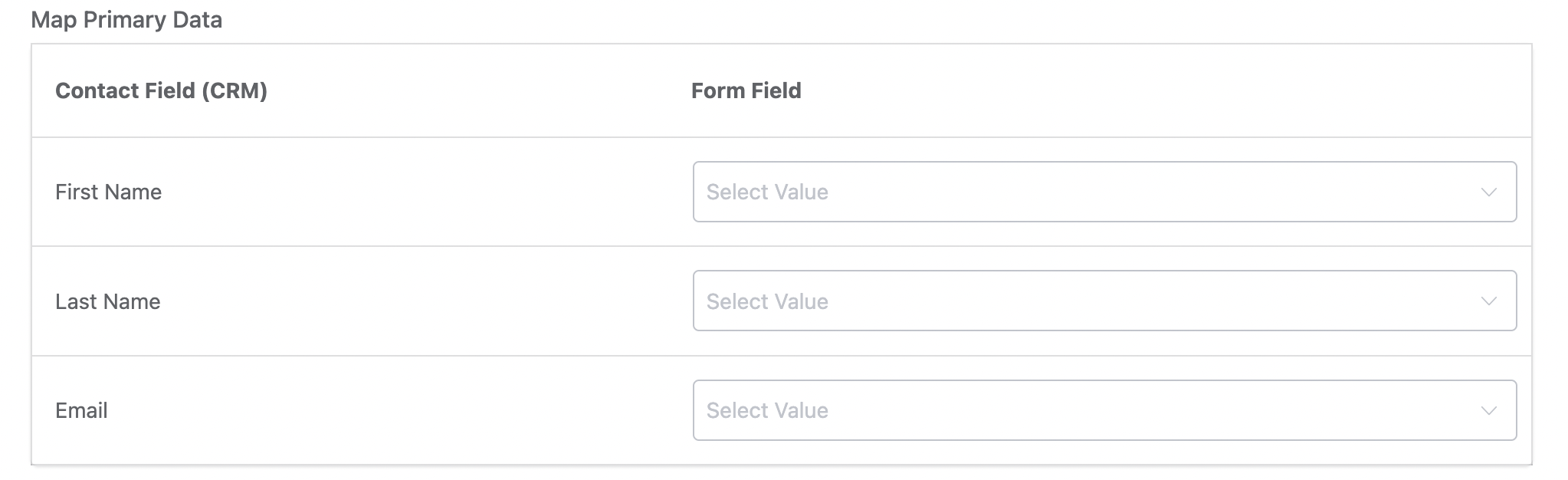
Two-column table for mapping contact fields to external data sources (e.g., form fields). Used primarily by form integration triggers.
```php
'primary_fields' => [
'type' => 'form-group-mapper',
'label' => __('Map Primary Data', 'your-plugin'),
'local_label' => __('Contact Field (CRM)', 'your-plugin'),
'remote_label' => __('Form Field', 'your-plugin'),
'value_options' => [
['id' => 'field_1', 'title' => 'Name Field'],
['id' => 'field_2', 'title' => 'Email Field'],
],
'fields' => [
'first_name' => ['type' => 'value_options', 'label' => 'First Name'],
'last_name' => ['type' => 'value_options', 'label' => 'Last Name'],
'email' => ['type' => 'value_options', 'label' => 'Email'],
],
],
```
**Type-specific properties:**
| Property | Type | Description |
|----------|------|-------------|
| `value_options` | Array | Remote field options `['id' => String, 'title' => String]` |
| `local_label` | String | Left column header |
| `remote_label` | String | Right column header |
| `fields` | Array | Local (CRM) fields to map |
---
### `form-many-drop-down-mapper`
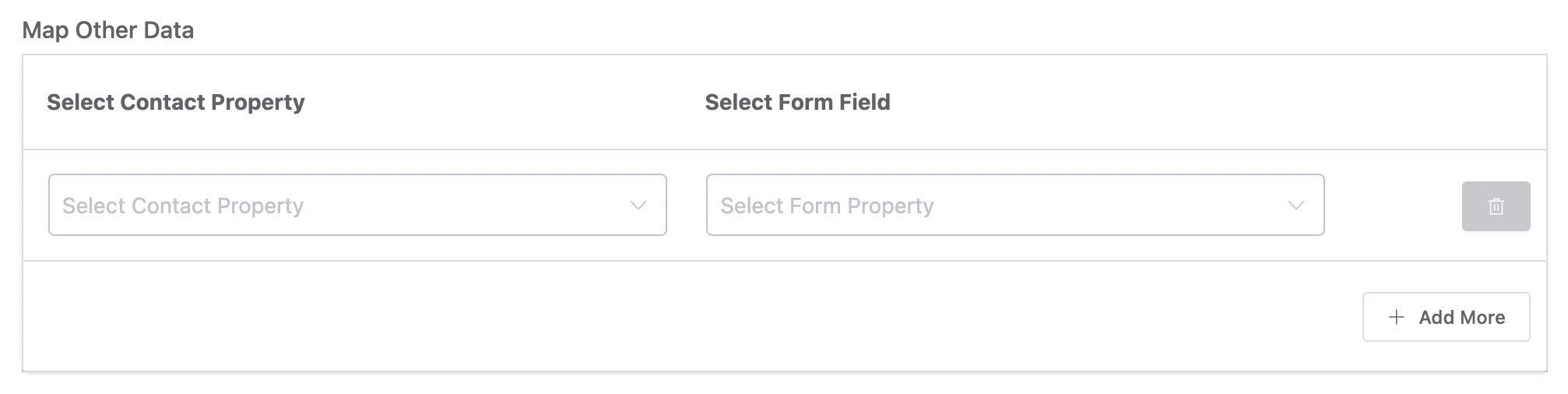
Dynamic two-column mapper where users can add multiple field-to-field mappings. Unlike `form-group-mapper`, users choose both the local and remote field from dropdowns.
```php
'other_fields' => [
'type' => 'form-many-drop-down-mapper',
'label' => __('Map Other Data', 'your-plugin'),
'local_label' => __('Select Contact Property', 'your-plugin'),
'remote_label' => __('Select Form Field', 'your-plugin'),
'local_placeholder' => __('Select Contact Property', 'your-plugin'),
'remote_placeholder' => __('Select Form Field', 'your-plugin'),
'value_options' => [
['id' => 'field_1', 'title' => 'Phone Field'],
['id' => 'field_2', 'title' => 'Address Field'],
],
'fields' => [
'prefix' => ['type' => 'value_options', 'label' => 'Name Prefix'],
'address_line_1' => ['type' => 'value_options', 'label' => 'Address Line 1'],
'phone' => ['type' => 'value_options', 'label' => 'Phone'],
],
],
```
---
### `input_value_pair_properties`
Key-value pair editor for updating contact properties. Each row lets the user select a property and set its value. Supports different value input types per property.
```php
'contact_properties' => [
'type' => 'input_value_pair_properties',
'label' => __('Setup contact properties to update', 'your-plugin'),
'data_key_label' => __('Contact Property', 'your-plugin'),
'data_value_label' => __('Property Value', 'your-plugin'),
'support_operations' => 'yes',
'property_options' => [
'contact_type' => [
'label' => __('Contact Type', 'your-plugin'),
'type' => 'select',
'options' => [
['id' => 'lead', 'slug' => 'lead', 'title' => 'Lead'],
['id' => 'customer', 'slug' => 'customer', 'title' => 'Customer'],
],
],
'date_of_birth' => [
'label' => __('Date of Birth', 'your-plugin'),
'type' => 'date',
],
'phone' => [
'label' => __('Phone', 'your-plugin'),
'type' => 'text',
],
],
],
```
**Type-specific properties:**
| Property | Type | Description |
|----------|------|-------------|
| `data_key_label` | String | Header label for the property column |
| `data_value_label` | String | Header label for the value column |
| `support_operations` | String | Set to `'yes'` to show add/subtract operations for numeric fields |
| `property_options` | Array | Keyed array of property definitions with `label`, `type` (`text`, `textarea`, `date`, `date_time`, `number`, `select`), and `options` (for select type) |

---
### `text-value-multi-properties`
Dynamic multi-row key-value editor where users can add arbitrary key-value pairs. Unlike `input_value_pair_properties`, the keys are free-text inputs rather than predefined selections.
```php
'meta_properties' => [
'type' => 'text-value-multi-properties',
'label' => __('User Meta Mapping', 'your-plugin'),
'data_key_label' => __('User Meta Key', 'your-plugin'),
'data_value_label' => __('User Meta Value', 'your-plugin'),
'data_key_placeholder' => __('Meta key', 'your-plugin'),
'data_value_placeholder' => __('Meta value', 'your-plugin'),
'help' => __('Map user meta properties (optional)', 'your-plugin'),
'value_input_type' => 'text-popper',
],
```
**Type-specific properties:**
| Property | Type | Description |
|----------|------|-------------|
| `data_key_label` | String | Header for the key column |
| `data_value_label` | String | Header for the value column |
| `data_key_placeholder` | String | Placeholder for key inputs |
| `data_value_placeholder` | String | Placeholder for value inputs |
| `value_input_type` | String | Value input type: `'text-popper'` (with SmartCode support) or `'input-text'` |

---
## Advanced Fields
### `condition_groups`
Conditional logic builder with grouped property selectors, comparison operators, and value inputs. Used for defining automation conditions.
```php
'conditions' => [
'type' => 'condition_groups',
'label' => __('Specify Matching Conditions', 'your-plugin'),
'inline_help' => __('Define conditions to match contact properties', 'your-plugin'),
'labels' => [
'match_type_all_label' => __('True if all conditions match', 'your-plugin'),
'match_type_any_label' => __('True if any condition matches', 'your-plugin'),
'data_key_label' => __('Contact Data', 'your-plugin'),
'condition_label' => __('Condition', 'your-plugin'),
'data_value_label' => __('Match Value', 'your-plugin'),
],
'condition_properties' => [
'subscriber' => [
'label' => __('Contact', 'your-plugin'),
'options' => [
'first_name' => ['label' => __('First Name', 'your-plugin'), 'type' => 'text'],
'email' => ['label' => __('Email', 'your-plugin'), 'type' => 'text'],
'status' => ['label' => __('Status', 'your-plugin'), 'type' => 'select', 'options' => [/* ... */]],
],
],
],
],
```
**Type-specific properties:**
| Property | Type | Description |
|----------|------|-------------|
| `labels` | Array | Column header labels for the condition builder UI |
| `condition_properties` | Array | Grouped property definitions with their value types |
---
### `condition_block_groups`
Advanced rich filter UI for defining conditional branching (yes/no paths) in automations. More powerful than `condition_groups` — supports nested filter groups.
```php
'conditions' => [
'type' => 'condition_block_groups',
'label' => __('Specify Matching Conditions', 'your-plugin'),
'inline_help' => __('Based on conditions, yes or no blocks will run', 'your-plugin'),
'labels' => [
'match_type_all_label' => __('True if all conditions match', 'your-plugin'),
'match_type_any_label' => __('True if any condition matches', 'your-plugin'),
'data_key_label' => __('Contact Data', 'your-plugin'),
'condition_label' => __('Condition', 'your-plugin'),
'data_value_label' => __('Match Value', 'your-plugin'),
],
'groups' => [
'subscriber' => [
'label' => __('Contact', 'your-plugin'),
'value' => 'subscriber',
'children' => [
['label' => __('First Name', 'your-plugin'), 'value' => 'first_name', 'type' => 'nullable_text'],
['label' => __('Status', 'your-plugin'), 'value' => 'status', 'type' => 'selections'],
],
],
],
'add_label' => __('Add Condition', 'your-plugin'),
],
```
---
### `custom_sender_config`
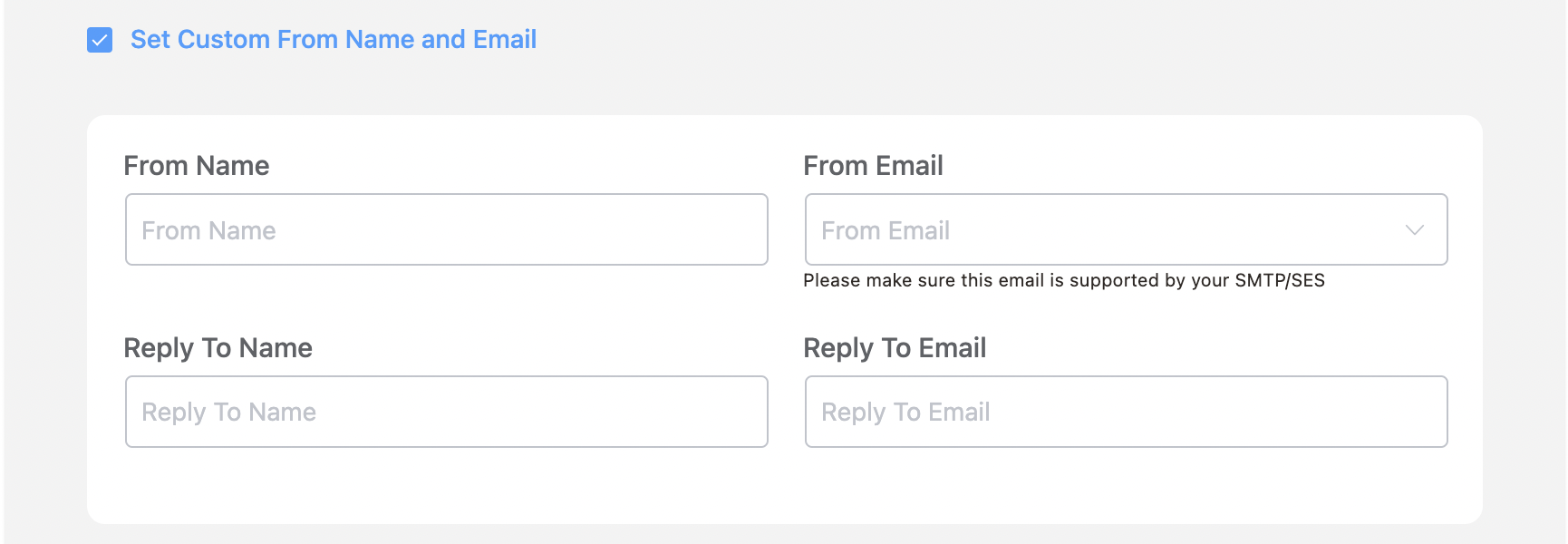
Email sender configuration panel for customizing From Name, From Email, and Reply-To per action.
```php
'mailer_settings' => [
'type' => 'custom_sender_config',
'check_label' => __('Set Custom From Name and Email', 'your-plugin'),
],
```
---
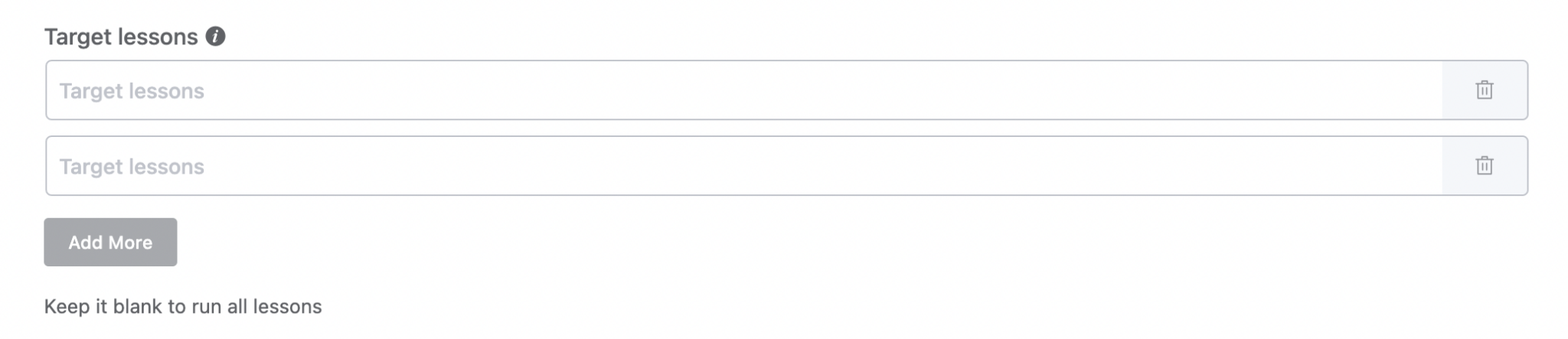
### `multi_text_options`
Dynamic array of text inputs. Users can add and remove rows. Returns an array of string values.
```php
'target_urls' => [
'type' => 'multi_text_options',
'label' => __('Target URLs', 'your-plugin'),
'help' => __('Add one or more URLs', 'your-plugin'),
'input_type' => 'text',
'placeholder' => __('Enter URL', 'your-plugin'),
],
```
**Type-specific properties:**
| Property | Type | Description |
|----------|------|-------------|
| `input_type` | String | Input type for each row (e.g., `'text'`, `'url'`) |
---
## Wrapper Classes
Use `wrapper_class` to control field layout:
| Class | Effect |
|-------|--------|
| `fc_half_field` | Field takes 50% width |
| `fc_2col_inline` | Two-column inline layout |
| `fc_2col_inline pad-r-20` | Two-column with right padding |
| `fc_no_pad_l` | Remove left padding |
| `fcrm_child_field` | Indent as a child/sub-field |
| `fc_email_writer` | Full-width email composer wrapper |
**Source:** `resources/admin/Modules/Funnels/FunnelEditor/_Field.vue`
