
Form Field Types
FluentCRM Core IntermediateFluentCRM uses a declarative PHP array structure to define the settings UI for automation triggers, actions, and benchmarks. You define fields in PHP, and FluentCRM automatically renders the corresponding Vue form components.
Return Structure
The getBlockFields() (actions/benchmarks) and getSettingsFields() (triggers) methods return an array with this structure:
return [
    'title'     => __('Block Title', 'your-plugin'),
    'sub_title' => __('Brief description of what this block does', 'your-plugin'),
    'fields'    => [
        'field_key' => [
            'type'  => 'select',     // Field type (see reference below)
            'label' => __('Label', 'your-plugin'),
            // ... type-specific properties
        ],
        // more fields...
    ],
];
The fields array is keyed by the setting name — this key is used to store and retrieve the value in $sequence->settings (actions) or $funnel->settings (triggers).
Common Properties
Every field type supports these properties:
| Property | Type | Description |
|---|---|---|
type | String | Required. The field type identifier |
label | String | Label displayed above the field |
help | String | Tooltip text shown via an info icon next to the label |
inline_help | String | Help text displayed below the field (supports HTML) |
placeholder | String | Placeholder text for input fields |
wrapper_class | String | CSS class applied to the field wrapper (see Wrapper Classes) |
readonly | Boolean | Makes the field read-only |
dependency | Array | Conditional visibility based on another field's value |
Conditional Visibility (Dependency)
Fields can be shown or hidden based on another field's value using the dependency property:
'send_email_custom' => [
    'type'       => 'input-text',
    'label'      => __('Custom Email Addresses', 'your-plugin'),
    'dependency' => [
        'depends_on' => 'send_email_to_type',
        'operator'   => '=',
        'value'      => 'custom',
    ],
],| Key | Type | Description |
|---|---|---|
depends_on | String | The field key to watch. Supports nested paths with / separator (e.g., 'settings/type') |
operator | String | = or != |
value | Mixed | The value to compare against |
SmartCode Support
Some field types support SmartCode (merge tag) insertion. Add these properties to enable it:
| Property | Value | Description |
|---|---|---|
smart_codes | 'yes' | Enables the SmartCode picker (contact fields, CRM data, etc.) |
context_codes | 'yes' | Additionally includes funnel-specific context codes |
Supported on: input-text-popper, html_editor
Selection Fields
option_selectors
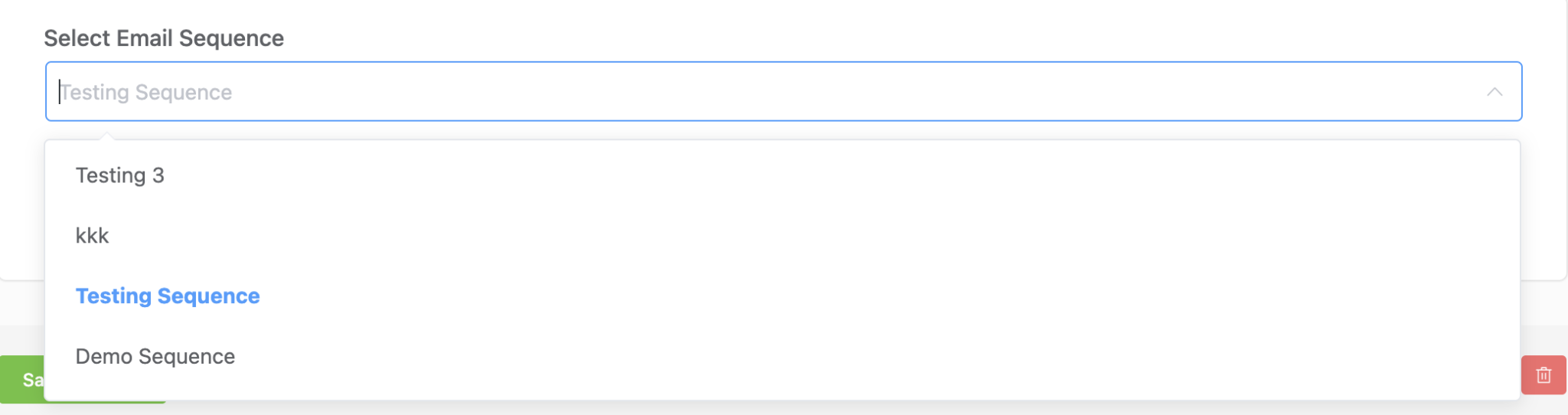
Dynamic select that loads options from FluentCRM's data stores (tags, lists, statuses, etc.). Supports creating new items inline.
'tags' => [
    'type'        => 'option_selectors',
    'option_key'  => 'tags',
    'is_multiple' => true,
    'creatable'   => true,
    'label'       => __('Select Tags', 'your-plugin'),
    'placeholder' => __('Select Tags', 'your-plugin'),
],
Type-specific properties:
| Property | Type | Description |
|---|---|---|
option_key | String | Required. Data source key (see table below) |
is_multiple | Boolean | Allow multiple selections. Default false |
creatable | Boolean | Allow creating new items inline. Default false |
size | String | Field size: 'small', 'default', 'large' |
Built-in option_key values:
| Key | Description |
|---|---|
tags | FluentCRM tags |
lists | FluentCRM lists |
editable_statuses | Contact subscription statuses |
companies | FluentCRM companies |
campaigns | Email campaigns |
email_sequences | Email sequences Pro |
countries | Country list |
Integration plugins (WooCommerce, LearnDash, etc.) register additional option_key values via the reports/options REST endpoint:
| Key | Plugin | Description |
|---|---|---|
woo_products, product_selector_woo | WooCommerce | Products |
woo_categories | WooCommerce | Product categories |
woo_order_statuses | WooCommerce | Order statuses |
woo_coupons | WooCommerce | Coupons |
edd_products, product_selector_edd | Easy Digital Downloads | Products |
edd_coupons | Easy Digital Downloads | Coupons |
product_selector_learndash | LearnDash | Courses |
product_selector_learndash_groups | LearnDash | Groups |
product_selector_lifterlms | LifterLMS | Courses |
product_selector_lifterlms_groups | LifterLMS | Memberships |
product_selector_tutorlms | TutorLMS | Courses |
product_selector_pmpro | Paid Memberships Pro | Membership levels |
product_selector_rcp | Restrict Content Pro | Memberships |
product_selector_wishlist | WishList Member | Memberships |
select / multi-select
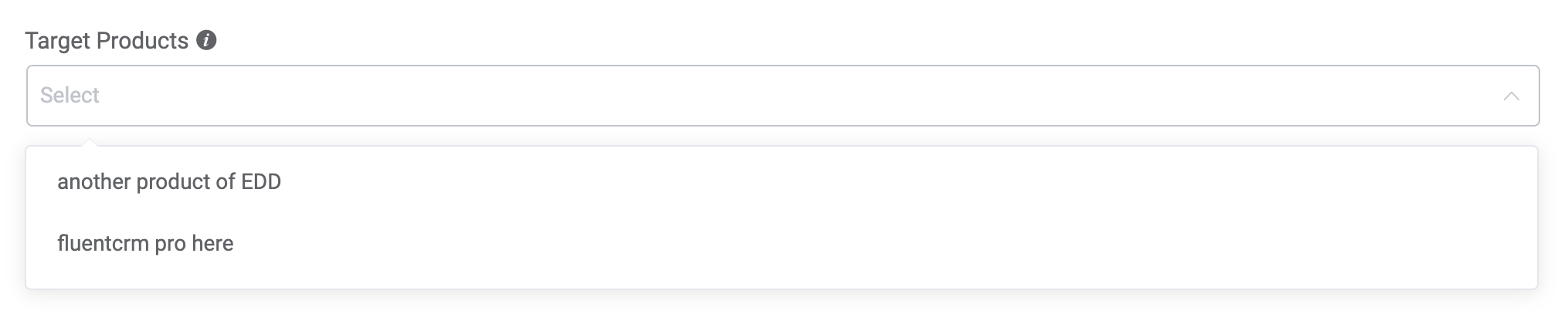
Standard dropdown with static options. Use select for single selection and multi-select for multiple.
'product_ids' => [
    'type'        => 'multi-select',
    'label'       => __('Target Products', 'your-plugin'),
    'help'        => __('Select products for this goal', 'your-plugin'),
    'options'     => [
        ['id' => '1', 'title' => 'Product A'],
        ['id' => '2', 'title' => 'Product B'],
    ],
    'inline_help' => __('Leave blank to match any product', 'your-plugin'),
],
Type-specific properties:
| Property | Type | Description |
|---|---|---|
options | Array | Required. Array of ['id' => String, 'title' => String] items |
is_multiple | Boolean | For select type only — overrides to allow multiple. multi-select is always multiple |
radio
Radio button group for mutually exclusive choices.
'update_type' => [
    'type'    => 'radio',
    'label'   => __('If Contact Already Exists?', 'your-plugin'),
    'help'    => __('Specify what happens if the subscriber already exists', 'your-plugin'),
    'options' => [
        ['id' => 'update', 'title' => __('Update if exist', 'your-plugin')],
        ['id' => 'skip_all_if_exist', 'title' => __('Skip if exist', 'your-plugin')],
    ],
],
Type-specific properties:
| Property | Type | Description |
|---|---|---|
options | Array | Required. Array of ['id' => String, 'title' => String] items |

radio_buttons
Styled radio buttons rendered as a button group. Same options format as radio.
'wait_type' => [
    'type'    => 'radio_buttons',
    'label'   => __('Waiting Type', 'your-plugin'),
    'options' => [
        ['id' => 'unit_wait', 'title' => __('Wait for a specific period', 'your-plugin')],
        ['id' => 'timestamp_wait', 'title' => __('Wait until a specific date-time', 'your-plugin')],
        ['id' => 'to_day', 'title' => __('To a day of the week', 'your-plugin')],
    ],
],
checkboxes
Checkbox group for selecting multiple options. Returns an array of selected id values.
'to_day' => [
    'type'          => 'checkboxes',
    'label'         => __('Wait until next day(s) of the week', 'your-plugin'),
    'wrapper_class' => 'fc_2col_inline pad-r-20',
    'options'       => [
        ['id' => 'Mon', 'title' => 'Mon'],
        ['id' => 'Tue', 'title' => 'Tue'],
        ['id' => 'Wed', 'title' => 'Wed'],
        ['id' => 'Thu', 'title' => 'Thu'],
        ['id' => 'Fri', 'title' => 'Fri'],
        ['id' => 'Sat', 'title' => 'Sat'],
        ['id' => 'Sun', 'title' => 'Sun'],
    ],
],
grouped-select
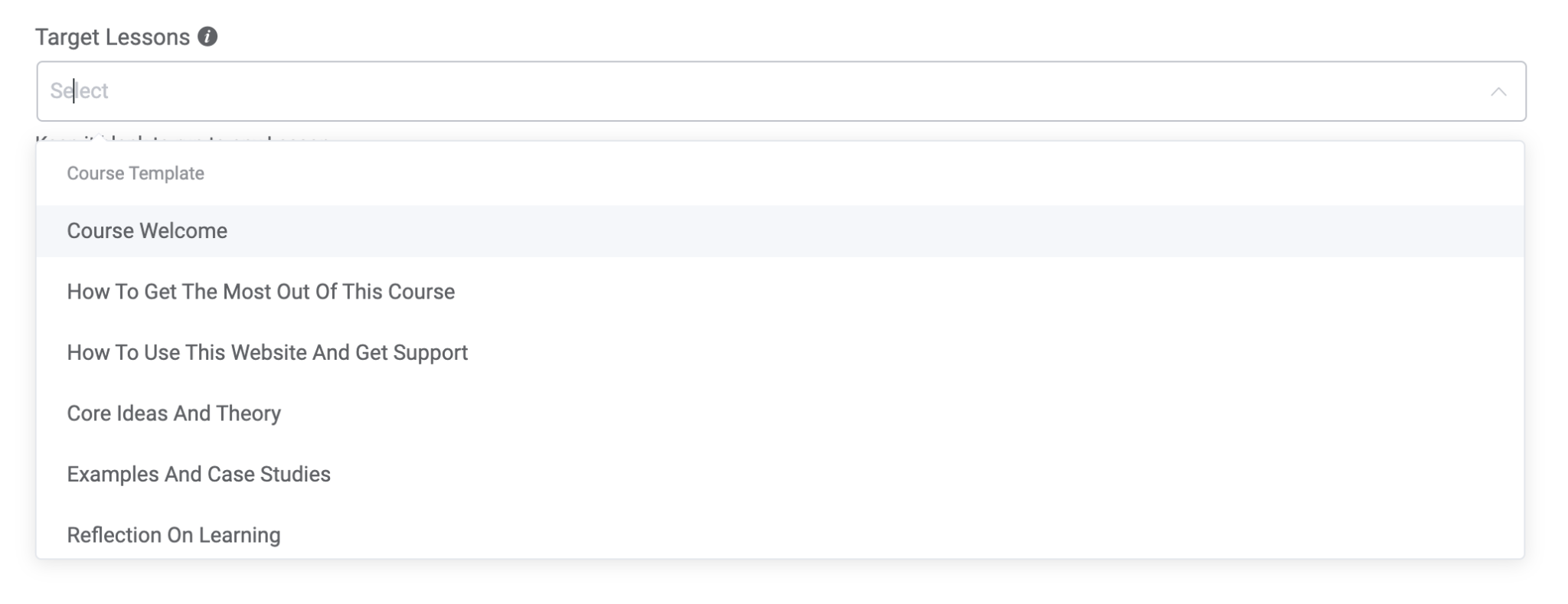
Select dropdown with options organized into groups (uses Element Plus el-option-group).
'lesson_ids' => [
    'type'        => 'grouped-select',
    'label'       => __('Target Lessons', 'your-plugin'),
    'help'        => __('Select lessons for this automation', 'your-plugin'),
    'is_multiple' => true,
    'options'     => [
        [
            'title'   => 'Course A',
            'slug'    => 'course_a',
            'options' => [
                ['id' => '1', 'title' => 'Lesson 1'],
                ['id' => '2', 'title' => 'Lesson 2'],
            ],
        ],
        [
            'title'   => 'Course B',
            'slug'    => 'course_b',
            'options' => [
                ['id' => '3', 'title' => 'Lesson 3'],
            ],
        ],
    ],
    'inline_help' => __('Leave blank to match any lesson', 'your-plugin'),
],
Group structure: ['title' => String, 'slug' => String, 'options' => [['id' => String, 'title' => String], ...]]
Text Input Fields
input-text
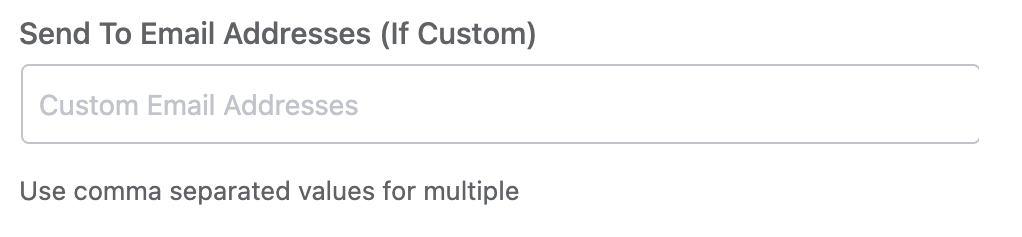
Single-line text input.
'send_email_custom' => [
    'type'          => 'input-text',
    'wrapper_class' => 'fc_half_field',
    'label'         => __('Email Addresses', 'your-plugin'),
    'placeholder'   => __('Custom Email Addresses', 'your-plugin'),
    'inline_help'   => __('Use comma separated values for multiple', 'your-plugin'),
],
input-text-area
Multi-line text input.
'sms_body' => [
    'type'        => 'input-text-area',
    'label'       => __('SMS Body', 'your-plugin'),
    'placeholder' => __('Enter your message', 'your-plugin'),
    'rows'        => 5,
],
Type-specific properties:
| Property | Type | Description |
|---|---|---|
rows | Int | Number of visible text rows |
input-text-popper
Text input with a SmartCode picker popover. Useful for fields where users need to insert dynamic merge tags.
'title' => [
    'type'          => 'input-text-popper',
    'label'         => __('Activity Title', 'your-plugin'),
    'smart_codes'   => 'yes',
    'context_codes' => 'yes',
],
Type-specific properties:
| Property | Type | Description |
|---|---|---|
smart_codes | String | Set to 'yes' to enable SmartCode picker |
context_codes | String | Set to 'yes' to include funnel context codes |
field_type | String | Set to 'textarea' for multi-line mode |

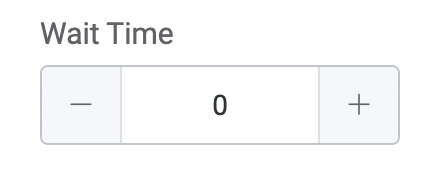
input-number
Numeric input with increment/decrement controls.
'wait_time_amount' => [
    'type'          => 'input-number',
    'label'         => __('Wait Time', 'your-plugin'),
    'wrapper_class' => 'fc_2col_inline pad-r-20',
],
Special Input Fields
yes_no_check
Boolean checkbox that stores 'yes' or 'no' as a string value.
'run_multiple' => [
    'type'        => 'yes_no_check',
    'label'       => '',
    'check_label' => __('Restart the automation multiple times for a contact', 'your-plugin'),
    'inline_help' => __('If enabled, the automation restarts for contacts already in it', 'your-plugin'),
],
Type-specific properties:
| Property | Type | Description |
|---|---|---|
check_label | String | Label displayed next to the checkbox |

url_selector
URL input field with link-picking capabilities.
'redirect_to' => [
    'type'        => 'url_selector',
    'label'       => __('Redirect To', 'your-plugin'),
    'placeholder' => __('Your Target URL', 'your-plugin'),
    'help'        => __('Contacts will be redirected to this link', 'your-plugin'),
],
date_time
Date and time picker. Returns the value in YYYY-MM-DD HH:mm:ss format.
'run_at' => [
    'type'        => 'date_time',
    'label'       => __('Schedule Date & Time', 'your-plugin'),
    'placeholder' => __('Select Date & Time', 'your-plugin'),
],
time_selector
Time-only picker with configurable range and step interval.
'to_day_time' => [
    'type'           => 'time_selector',
    'label'          => __('Time of the day', 'your-plugin'),
    'placeholder'    => __('Select Time', 'your-plugin'),
    'wrapper_class'  => 'fc_2col_inline',
    'picker_options' => [
        'start' => '00:00',
        'step'  => '00:10',
        'end'   => '23:59',
    ],
],
Type-specific properties:
| Property | Type | Description |
|---|---|---|
picker_options | Array | start (start time), step (interval), end (end time) |

Rich Content Fields
html_editor
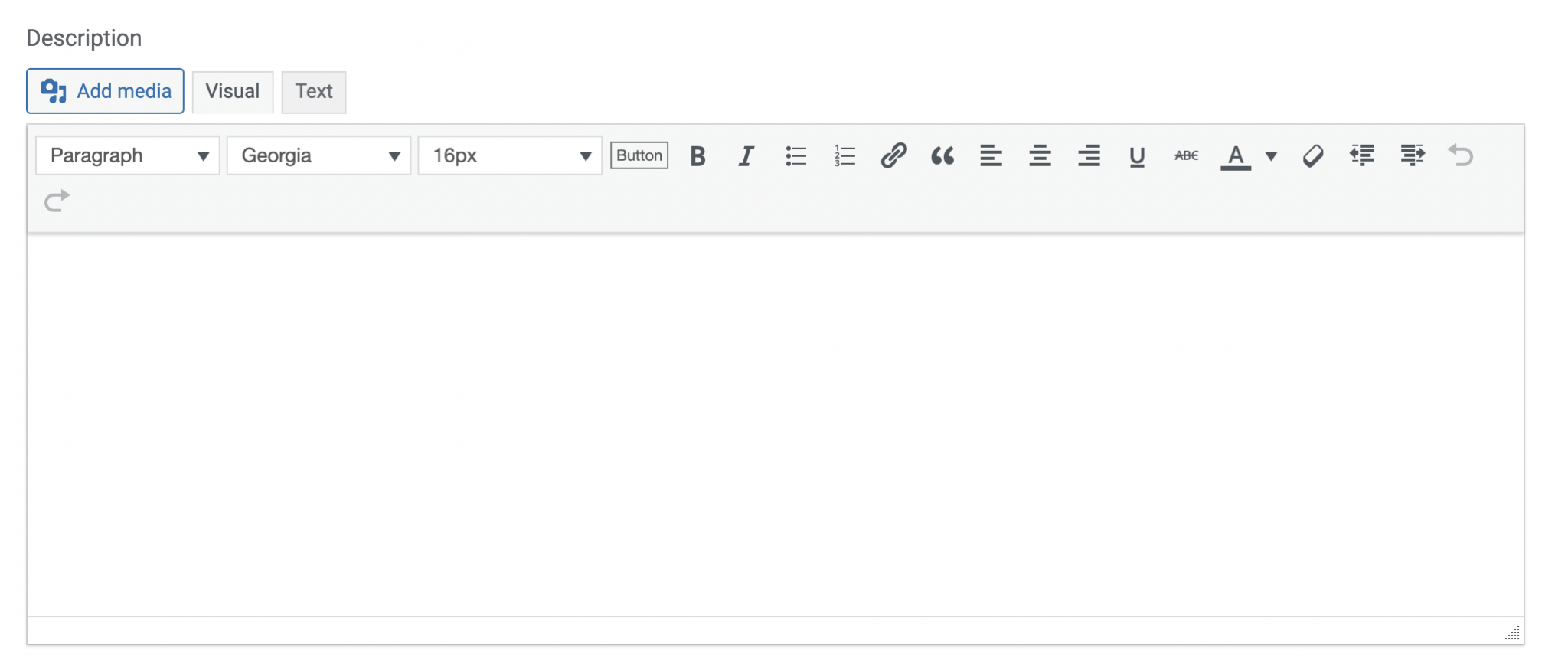
WordPress-style rich text editor (TinyMCE). Supports SmartCode insertion.
'description' => [
    'type'          => 'html_editor',
    'label'         => __('Description', 'your-plugin'),
    'smart_codes'   => 'yes',
    'context_codes' => 'yes',
],
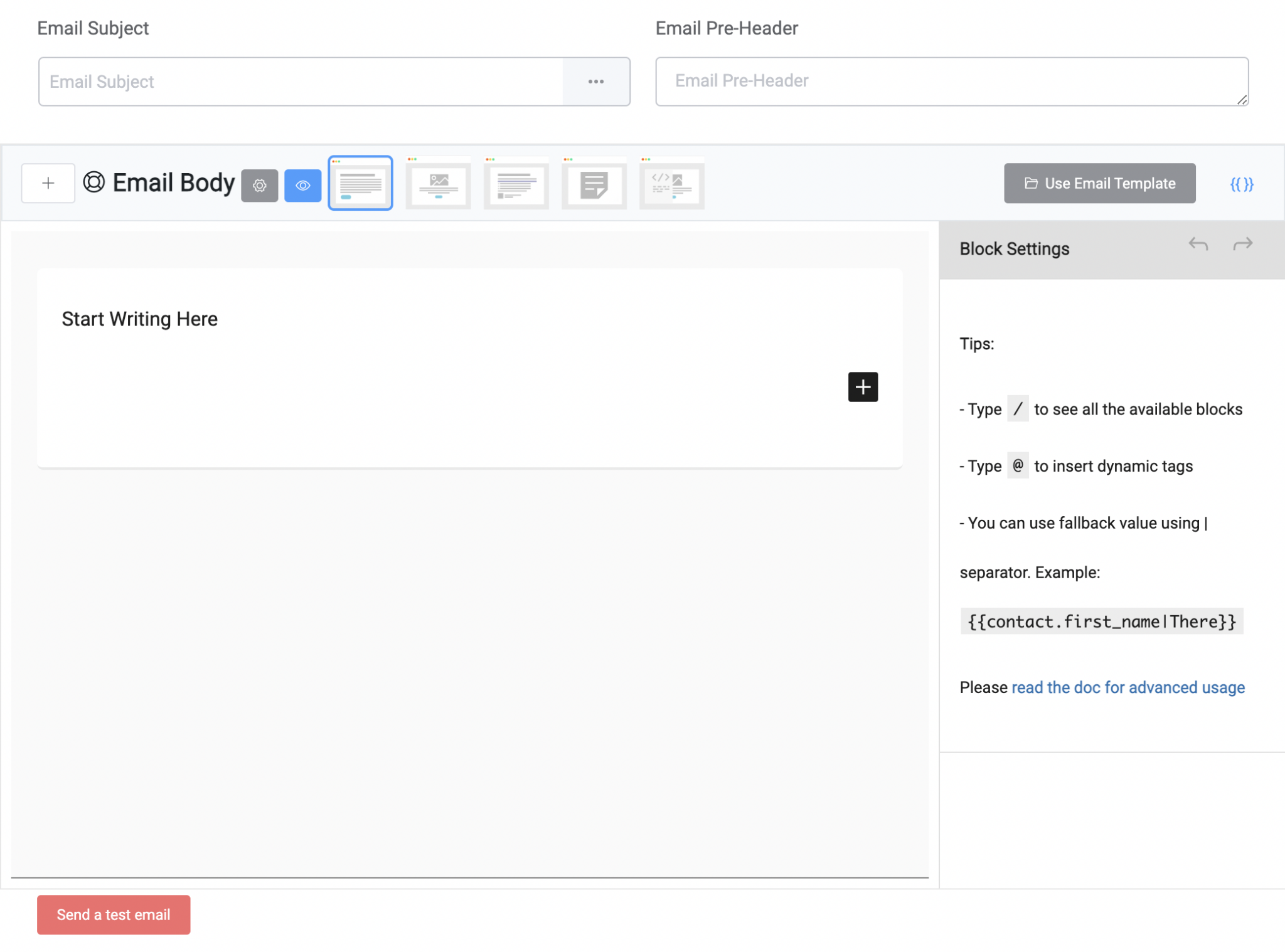
email_campaign_composer
Full email campaign editor with subject line, body editor, design templates, and merge tag support. Used primarily by the "Send Email" action.
'campaign' => [
    'type'  => 'email_campaign_composer',
    'label' => '',
],
The composer provides its own save mechanism. It emits a save event when the user clicks save.
html
Display-only HTML content — not an input field. Used for showing informational messages, often with a dependency to show contextual guidance.
'subscription_status_info' => [
    'type'       => 'html',
    'info'       => '<b>' . __('A double opt-in email will be sent for new subscribers', 'your-plugin') . '</b>',
    'dependency' => [
        'depends_on' => 'subscription_status',
        'operator'   => '=',
        'value'      => 'pending',
    ],
],
Type-specific properties:
| Property | Type | Description |
|---|---|---|
info | String | HTML content to display |
Dynamic / AJAX Fields
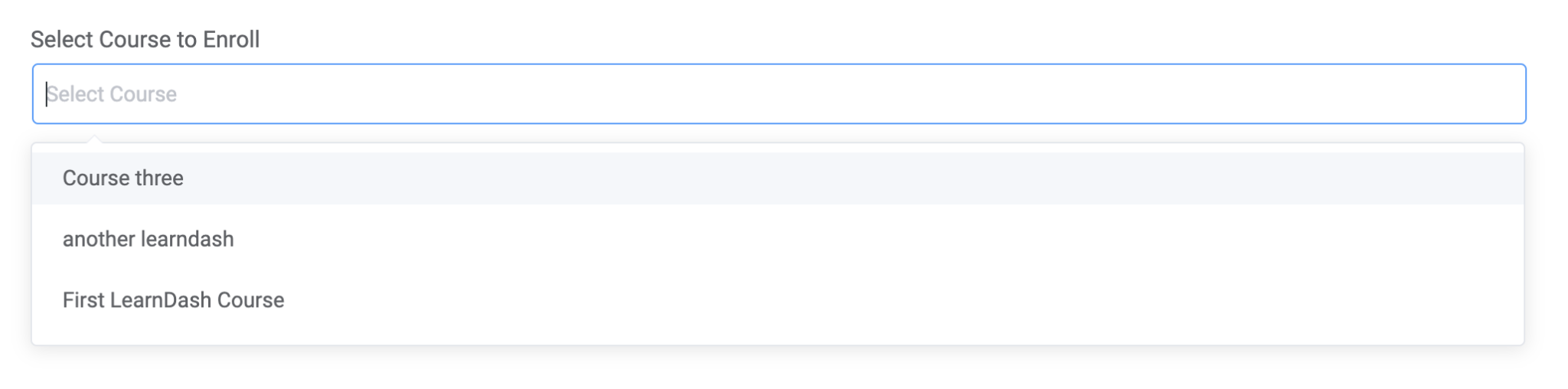
rest_selector
Select dropdown that loads options from FluentCRM's AJAX endpoint (reports/ajax-options). Used when options are too large to load upfront or are provided by integration plugins.
'course_id' => [
    'type'        => 'rest_selector',
    'option_key'  => 'product_selector_learndash',
    'is_multiple' => false,
    'clearable'   => true,
    'label'       => __('Select Course', 'your-plugin'),
    'placeholder' => __('Select Course', 'your-plugin'),
],
Type-specific properties:
| Property | Type | Description |
|---|---|---|
option_key | String | Required. Endpoint key for fetching options |
is_multiple | Boolean | Allow multiple selections |
clearable | Boolean | Allow clearing the selection |
cacheable | Boolean | Cache results in browser |
creatable | Boolean | Allow creating new items |
reload_rest_selector
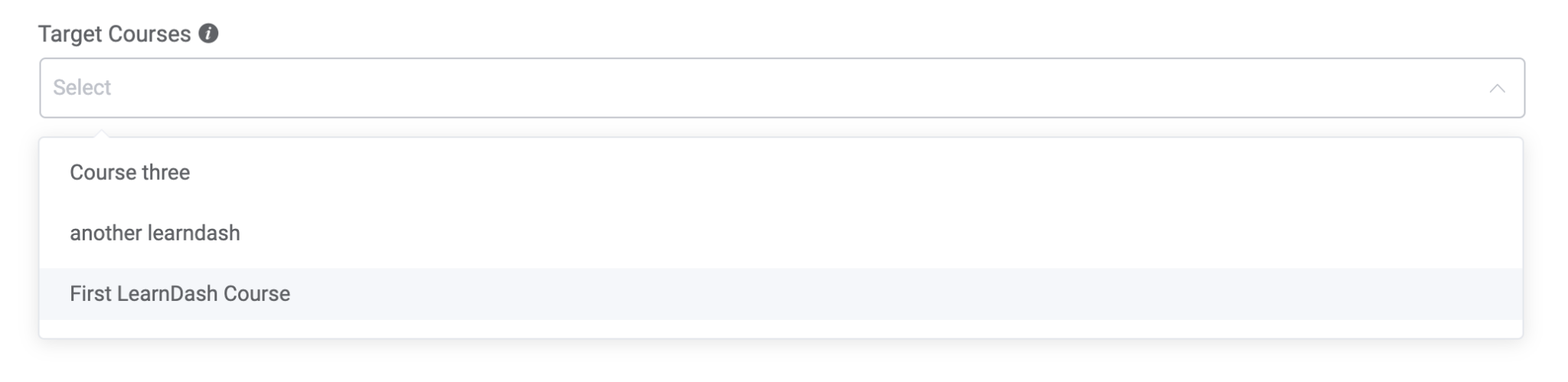
Same as rest_selector, but saves the form and reloads all field options when the selection changes. Used when one field's value affects available options in other fields.
'form_id' => [
    'type'        => 'reload_rest_selector',
    'option_key'  => 'fluent_forms',
    'is_multiple' => false,
    'label'       => __('Select Form', 'your-plugin'),
    'placeholder' => __('Select Form', 'your-plugin'),
],
reload_field_selection
Static select dropdown that triggers a save-and-reload when the selection changes. Similar to reload_rest_selector but with pre-loaded options.
'course_id' => [
    'type'        => 'reload_field_selection',
    'label'       => __('Target Course', 'your-plugin'),
    'help'        => __('Select a course to load its lessons', 'your-plugin'),
    'options'     => [
        ['id' => '1', 'title' => 'Course A'],
        ['id' => '2', 'title' => 'Course B'],
    ],
    'inline_help' => __('You must select a course', 'your-plugin'),
],
tax_selector
WordPress taxonomy terms selector. Loads terms from any registered taxonomy.
'category_ids' => [
    'type'        => 'tax_selector',
    'taxonomy'    => 'product_cat',
    'is_multiple' => true,
    'label'       => __('Product Categories', 'your-plugin'),
],
Type-specific properties:
| Property | Type | Description |
|---|---|---|
taxonomy | String | Required. WordPress taxonomy slug (e.g., 'category', 'product_cat') |
is_multiple | Boolean | Allow multiple selections |
Mapper & Property Fields
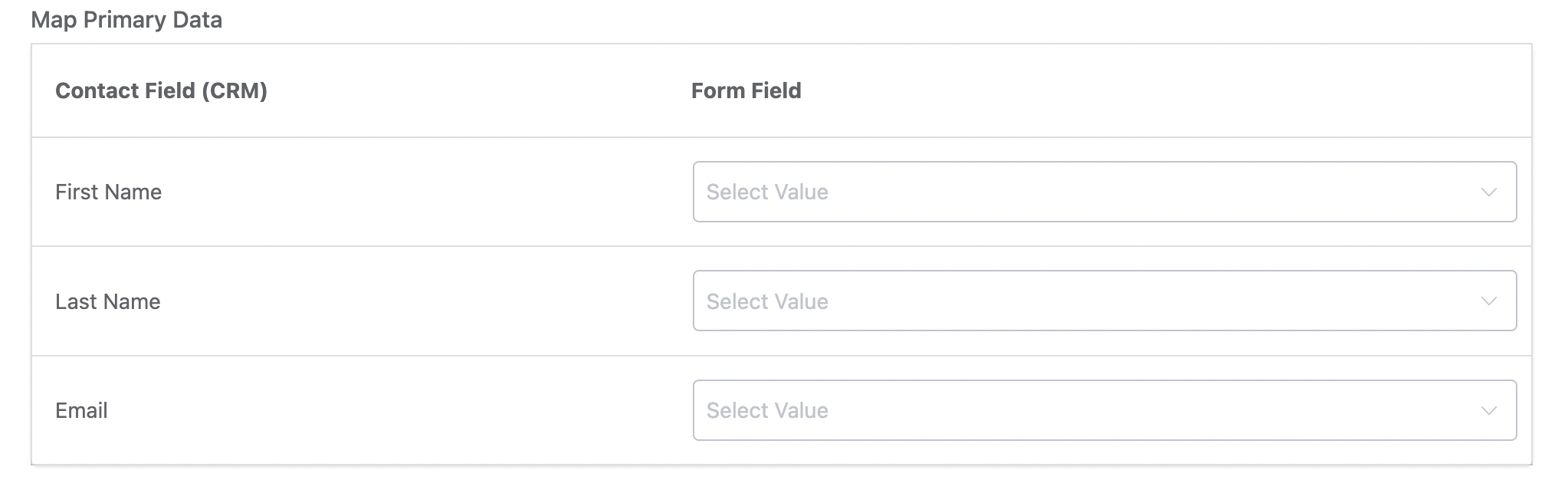
form-group-mapper
Two-column table for mapping contact fields to external data sources (e.g., form fields). Used primarily by form integration triggers.
'primary_fields' => [
    'type'          => 'form-group-mapper',
    'label'         => __('Map Primary Data', 'your-plugin'),
    'local_label'   => __('Contact Field (CRM)', 'your-plugin'),
    'remote_label'  => __('Form Field', 'your-plugin'),
    'value_options'  => [
        ['id' => 'field_1', 'title' => 'Name Field'],
        ['id' => 'field_2', 'title' => 'Email Field'],
    ],
    'fields' => [
        'first_name' => ['type' => 'value_options', 'label' => 'First Name'],
        'last_name'  => ['type' => 'value_options', 'label' => 'Last Name'],
        'email'      => ['type' => 'value_options', 'label' => 'Email'],
    ],
],
Type-specific properties:
| Property | Type | Description |
|---|---|---|
value_options | Array | Remote field options ['id' => String, 'title' => String] |
local_label | String | Left column header |
remote_label | String | Right column header |
fields | Array | Local (CRM) fields to map |
form-many-drop-down-mapper
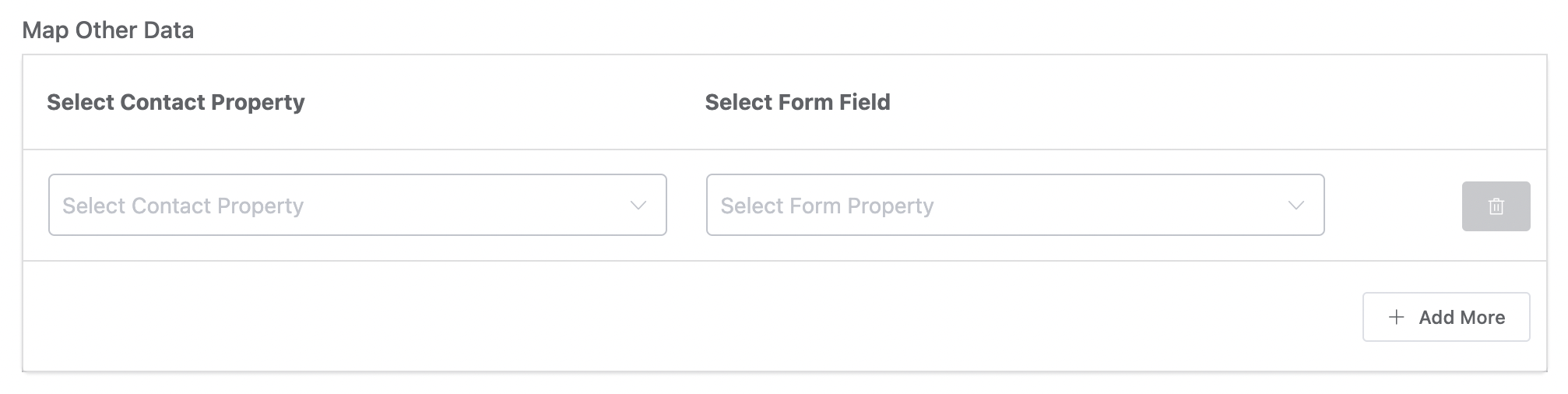
Dynamic two-column mapper where users can add multiple field-to-field mappings. Unlike form-group-mapper, users choose both the local and remote field from dropdowns.
'other_fields' => [
    'type'               => 'form-many-drop-down-mapper',
    'label'              => __('Map Other Data', 'your-plugin'),
    'local_label'        => __('Select Contact Property', 'your-plugin'),
    'remote_label'       => __('Select Form Field', 'your-plugin'),
    'local_placeholder'  => __('Select Contact Property', 'your-plugin'),
    'remote_placeholder' => __('Select Form Field', 'your-plugin'),
    'value_options'      => [
        ['id' => 'field_1', 'title' => 'Phone Field'],
        ['id' => 'field_2', 'title' => 'Address Field'],
    ],
    'fields' => [
        'prefix'         => ['type' => 'value_options', 'label' => 'Name Prefix'],
        'address_line_1' => ['type' => 'value_options', 'label' => 'Address Line 1'],
        'phone'          => ['type' => 'value_options', 'label' => 'Phone'],
    ],
],
input_value_pair_properties
Key-value pair editor for updating contact properties. Each row lets the user select a property and set its value. Supports different value input types per property.
'contact_properties' => [
    'type'               => 'input_value_pair_properties',
    'label'              => __('Setup contact properties to update', 'your-plugin'),
    'data_key_label'     => __('Contact Property', 'your-plugin'),
    'data_value_label'   => __('Property Value', 'your-plugin'),
    'support_operations' => 'yes',
    'property_options'   => [
        'contact_type' => [
            'label'   => __('Contact Type', 'your-plugin'),
            'type'    => 'select',
            'options' => [
                ['id' => 'lead', 'slug' => 'lead', 'title' => 'Lead'],
                ['id' => 'customer', 'slug' => 'customer', 'title' => 'Customer'],
            ],
        ],
        'date_of_birth' => [
            'label' => __('Date of Birth', 'your-plugin'),
            'type'  => 'date',
        ],
        'phone' => [
            'label' => __('Phone', 'your-plugin'),
            'type'  => 'text',
        ],
    ],
],
Type-specific properties:
| Property | Type | Description |
|---|---|---|
data_key_label | String | Header label for the property column |
data_value_label | String | Header label for the value column |
support_operations | String | Set to 'yes' to show add/subtract operations for numeric fields |
property_options | Array | Keyed array of property definitions with label, type (text, textarea, date, date_time, number, select), and options (for select type) |

text-value-multi-properties
Dynamic multi-row key-value editor where users can add arbitrary key-value pairs. Unlike input_value_pair_properties, the keys are free-text inputs rather than predefined selections.
'meta_properties' => [
    'type'                   => 'text-value-multi-properties',
    'label'                  => __('User Meta Mapping', 'your-plugin'),
    'data_key_label'         => __('User Meta Key', 'your-plugin'),
    'data_value_label'       => __('User Meta Value', 'your-plugin'),
    'data_key_placeholder'   => __('Meta key', 'your-plugin'),
    'data_value_placeholder' => __('Meta value', 'your-plugin'),
    'help'                   => __('Map user meta properties (optional)', 'your-plugin'),
    'value_input_type'       => 'text-popper',
],
Type-specific properties:
| Property | Type | Description |
|---|---|---|
data_key_label | String | Header for the key column |
data_value_label | String | Header for the value column |
data_key_placeholder | String | Placeholder for key inputs |
data_value_placeholder | String | Placeholder for value inputs |
value_input_type | String | Value input type: 'text-popper' (with SmartCode support) or 'input-text' |

Advanced Fields
condition_groups
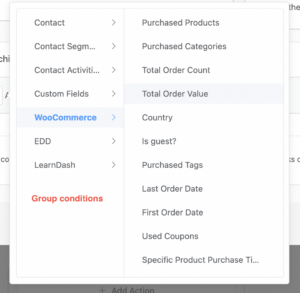
Conditional logic builder with grouped property selectors, comparison operators, and value inputs. Used for defining automation conditions.
'conditions' => [
    'type'        => 'condition_groups',
    'label'       => __('Specify Matching Conditions', 'your-plugin'),
    'inline_help' => __('Define conditions to match contact properties', 'your-plugin'),
    'labels'      => [
        'match_type_all_label' => __('True if all conditions match', 'your-plugin'),
        'match_type_any_label' => __('True if any condition matches', 'your-plugin'),
        'data_key_label'       => __('Contact Data', 'your-plugin'),
        'condition_label'      => __('Condition', 'your-plugin'),
        'data_value_label'     => __('Match Value', 'your-plugin'),
    ],
    'condition_properties' => [
        'subscriber' => [
            'label'   => __('Contact', 'your-plugin'),
            'options' => [
                'first_name' => ['label' => __('First Name', 'your-plugin'), 'type' => 'text'],
                'email'      => ['label' => __('Email', 'your-plugin'), 'type' => 'text'],
                'status'     => ['label' => __('Status', 'your-plugin'), 'type' => 'select', 'options' => [/* ... */]],
            ],
        ],
    ],
],
Type-specific properties:
| Property | Type | Description |
|---|---|---|
labels | Array | Column header labels for the condition builder UI |
condition_properties | Array | Grouped property definitions with their value types |
condition_block_groups
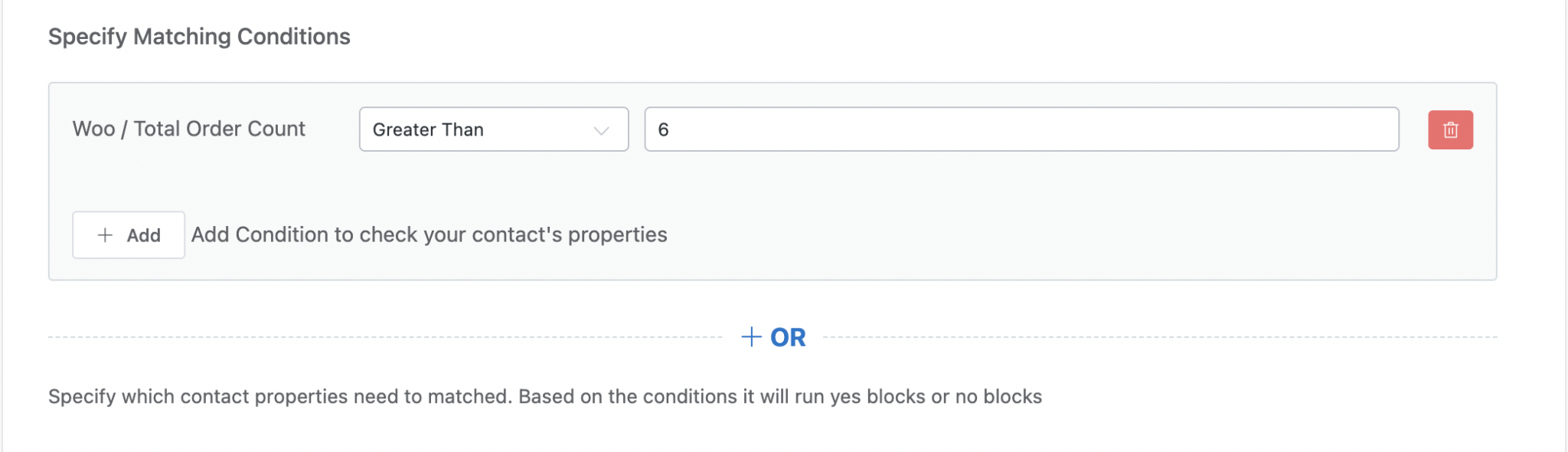
Advanced rich filter UI for defining conditional branching (yes/no paths) in automations. More powerful than condition_groups — supports nested filter groups.
'conditions' => [
    'type'        => 'condition_block_groups',
    'label'       => __('Specify Matching Conditions', 'your-plugin'),
    'inline_help' => __('Based on conditions, yes or no blocks will run', 'your-plugin'),
    'labels'      => [
        'match_type_all_label' => __('True if all conditions match', 'your-plugin'),
        'match_type_any_label' => __('True if any condition matches', 'your-plugin'),
        'data_key_label'       => __('Contact Data', 'your-plugin'),
        'condition_label'      => __('Condition', 'your-plugin'),
        'data_value_label'     => __('Match Value', 'your-plugin'),
    ],
    'groups' => [
        'subscriber' => [
            'label'    => __('Contact', 'your-plugin'),
            'value'    => 'subscriber',
            'children' => [
                ['label' => __('First Name', 'your-plugin'), 'value' => 'first_name', 'type' => 'nullable_text'],
                ['label' => __('Status', 'your-plugin'), 'value' => 'status', 'type' => 'selections'],
            ],
        ],
    ],
    'add_label' => __('Add Condition', 'your-plugin'),
],
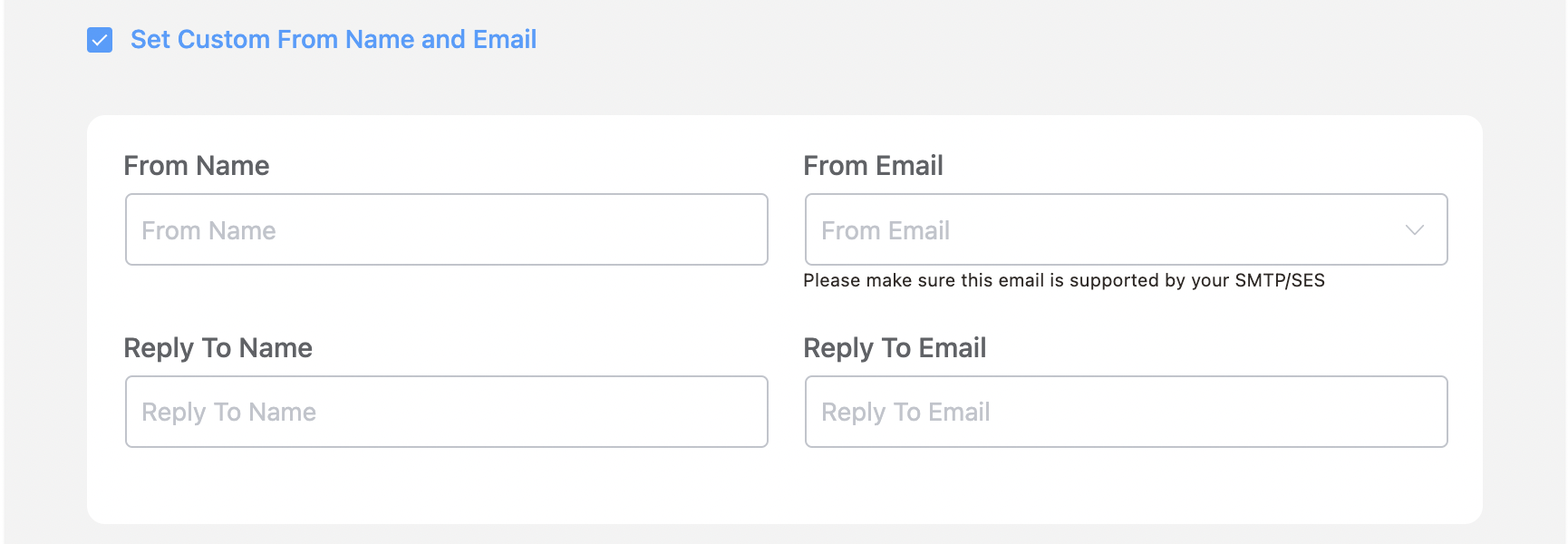
custom_sender_config
Email sender configuration panel for customizing From Name, From Email, and Reply-To per action.
'mailer_settings' => [
    'type'        => 'custom_sender_config',
    'check_label' => __('Set Custom From Name and Email', 'your-plugin'),
],
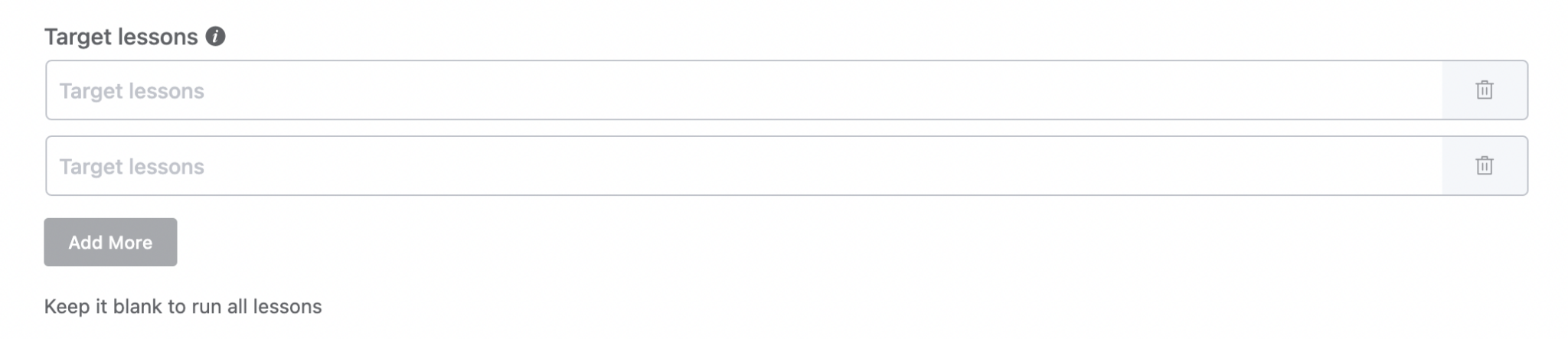
multi_text_options
Dynamic array of text inputs. Users can add and remove rows. Returns an array of string values.
'target_urls' => [
    'type'        => 'multi_text_options',
    'label'       => __('Target URLs', 'your-plugin'),
    'help'        => __('Add one or more URLs', 'your-plugin'),
    'input_type'  => 'text',
    'placeholder' => __('Enter URL', 'your-plugin'),
],
Type-specific properties:
| Property | Type | Description |
|---|---|---|
input_type | String | Input type for each row (e.g., 'text', 'url') |
Wrapper Classes
Use wrapper_class to control field layout:
| Class | Effect |
|---|---|
fc_half_field | Field takes 50% width |
fc_2col_inline | Two-column inline layout |
fc_2col_inline pad-r-20 | Two-column with right padding |
fc_no_pad_l | Remove left padding |
fcrm_child_field | Indent as a child/sub-field |
fc_email_writer | Full-width email composer wrapper |
Source: resources/admin/Modules/Funnels/FunnelEditor/_Field.vue